
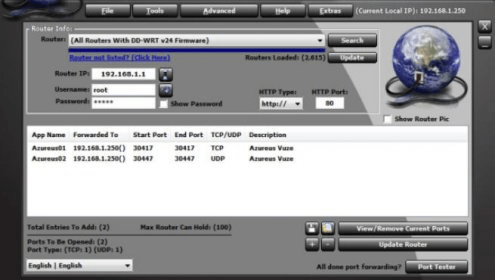
Simple Port Forwarding is a tool allowing you to easily open ports on your router without needing to be a professional: with the high number of different routers on the market, the user becomes quickly lost between every names of port forwarding and options like UPnP, DMZ, IP Passthrough etc. This program aims to make every user's life easier by opening ports in a few clicks.
Numbers of apps need port forwarding like games, utilities, and P2P sharing clients: if you open the needed ports of the P2P client you use, your downloads speed will doubled.
Even if a paid version is available, the free version should fulfil your needs: the pro version only adds a few extras options like open ports in the Windows firewall; use predefined settings for Apps (example µtorrent, the pro version can configure it without needing you to check which ports it uses).
To conclude, this software can really be helpful for users that are at loss what port forwarding is all about. However, the advanced users can also make a good use of it.





Comments (1)
The good news is - the developer (Shane) provides instructions and software
to get the info he needs to add new modems for the software.